FAQ and basic concepts

FAQ and basic concepts

Your questions answered

How can I pay for?
Hola Barcelona accepts VISA, MasterCard and American Express credit or debit cards payments. You can also pay with Apple Pay, GPay, and Bizum.

I have not received an email with confirmation of my purchase. What should I do?
You can check your purchase by accessing the purchase history in the private area. If the purchase appears there, you can be sure it was completed successfully and you'll find the vouchers in the app's wallet. If you weren't previously registered, you can sign up using the same email address you used for the purchase, and once you log in, your past purchases will be available.
In your email account, check that the purchase confirmation message has not gone into your junk mail folder. If you do not receive any confirmation, please contact us via the
Contact us page.

Do the vouchers have an expiration date?
Vouchers are valid for 180 calendar days from the date of purchase, except for services for which a specific date and time have been booked.

Where do I redeem my vouchers?
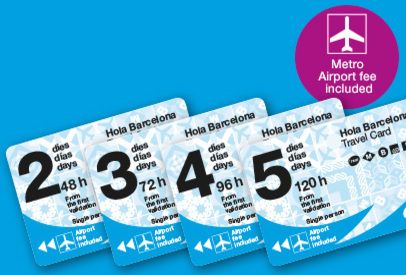
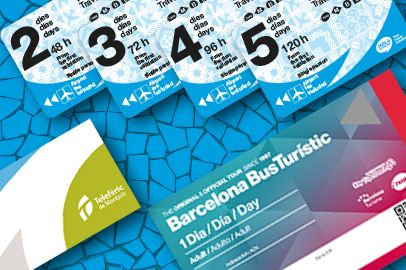
Hola Barcelona Travel Card vouchers can be redeemed at the automatic ticket vending machines in any of the metro stations by selecting the 'voucher' button and entering the 13-digit code.
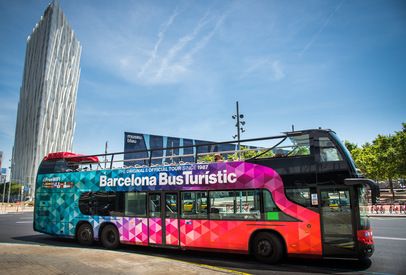
For the Barcelona Bus Turístic and Montjuïc Cable Car services, simply present your voucher when boarding.
You will find voucher codes on the purchase email or, if you are using our app, you can get the code by entering the wallet in your personal menu.

I have forgotten or lost my voucher. How can I retrieve it?
Once you have made your purchase, you can retrieve your voucher:
- From the app: log in or sign up using the same email address you used to make the purchase. Once you're in the user area, you'll find the vouchers in the electronic wallet.
- From the website: enter your email address in the field that you'll find on the
Recover voucher page.

Can I return my purchases?
You can request a refund within 180 calendar days of purchasing the product, without a penalty, as long as the voucher has not been redeemed. In the case of products with a day or day and time reservation, you will only be able to make the refund up to the day before the reservation if it is within the 15 days established.

How do I apply for a refund?
Access your purchase history and request a refund from the options of the corresponding order, following the indicated process. If you weren’t previously registered, you can sign up using the same email address you used for the purchase, and once you log in, you will find your past purchases.

How can I obtain invoices?
You will receive a confirmation email with every purchase. In the event of having requested a full invoice during the purchase process, this will also be sent by e-mail.
If you want to download the simplified invoice or request the full invoice after making a purchase, you can access your user area both on the website and in the app. If you weren’t previously registered, you can sign up using the same email address you used for the purchase, and once you log in, you will find your past purchases.
Once in the purchase history, select the corresponding order and choose one of the following options:
- Download invoice: to get the simplified invoice.
- Request full invoice: simply enter your tax details and you will be able to download the invoice from the app.
If you have any problems with this operation, consult us on the
Contact us page.

Which systems is the Hola Barcelona app available for?
Our app is available for both iOS (Apple) and Android operating systems (the minimum versions required are Android 7.0 and iOS 14). You can download it for free from the App Store and Google Play stores of your mobile terminal.

In which languages can I use the Hola Barcelona app?
The app is available in the following languages: English, Catalan, Spanish, French, Italian and German. The default language will depend on the language in which you have set up the operating system of your terminal. You can always change it by going to the application settings.

Can I add tickets which I purchased on the website to the app?
Yes, you can do this in the e-wallet by accessing the option to import purchases made on the website. You just need to log in with the user you used to make the purchase and go to the digital wallet available in the user menu. If you weren’t previously registered, you can sign up with the same email you used for the purchase, and once you log in, you will find your past purchases.

How can I register on the app?
Enter the user menu and select the register option. You can create an Hola Barcelona account by e-mail or using your Google or Facebook accounts.

How can I change my Hola Barcelona account password? And the email address?
You will find the options to change the account email address and password in the user profile.

How can I cancel the Hola Barcelona account?
The option to cancel your account is in the user profile of the app.

What do I do if I experience a problem with the functioning of the app or with the purchases?
Contact us detailing the problem you have and telling us which operating system you use (iOS or Android). It will be useful if you also provide the version of the operating system that you have on your mobile phone (you can find this information in the configuration option of your phone) and the version of the Hola Barcelona app that you have installed (this can be found in the App Store or Google Play, depending on which store you use). Do this using the form you'll find on the
Contact us page.

Didn’t find what you wanted?

Get in touch with us with any queries you have about our products or the service

Contact